YouTube Widget
  YouTube
AI Moderation | Shoppable For Product Video
YouTube
AI Moderation | Shoppable For Product Video
Easy To Use YouTube Widget For Website
Display your videos, channel, playlist and gallery using YouTube widget for website to improve website efficiency that engages your visitors and turns them into your customers.
 By continuing you agree to Tagembed terms

Pick a Layout For Your YouTube Widget That Stops The Scroll
Choose how your YouTube videos appear on your website, from a clean grid to a cinematic carousel. Each layout is fully customizable to match your brand.
Why Do You Need YouTube Video Widget On Website?
Embedding your YouTube channel widget keeps engaged longer, and turns visitors into paying customers.

Better Website Engagement
Display YouTube widget from your channel, playlists, and shorts in a layout that keeps visitors watching and automatically boosts your search engine rankings.

Higher Conversions
Easily display YouTube videos on your website with a gallery widget to keep your visitors engaged, boost recall, and turn browsers into buyers.

Improves Website Visuals
Embed your YouTube video widget and watch your website work harder. Video on landing pages boosts conversions by up to 80%, turning browsers into buyers without lifting a finger.
Increase time on website
Increase conversion rate
Increase AOV
Impact on website speed
Trusted by 3,00,000+ Businesses Worldwide
Now it’s your turn. Launch your YouTube Video Widget today.
YouTube Video Widget Live For Your Website In Seconds
No developers, no technical knowledge, no back-and-forth. Just four steps between you and a YouTube video widget your visitors will love.
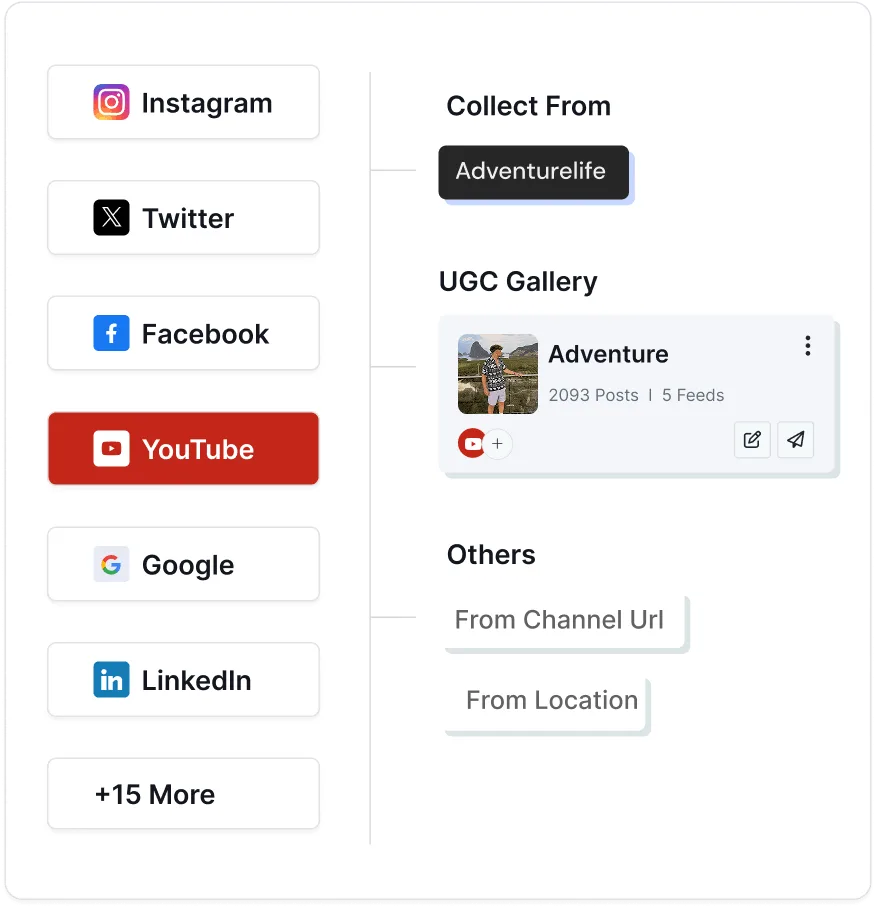
1. Collect
Sign up and select YouTube as your source. Connect your channel, playlist, Shorts, or keywords and choose exactly which videos you want to display.
2. Moderate
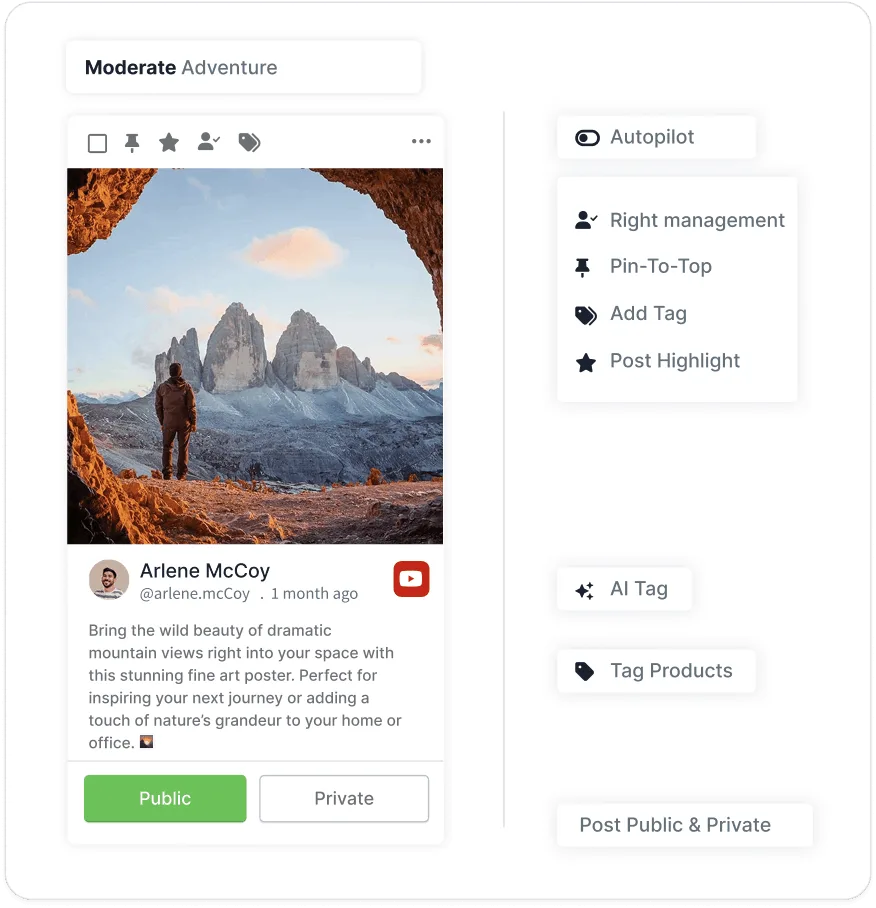
Filter out irrelevant, duplicate, or off-brand videos with smart moderation from YouTube channel widget. Remove content manually or let AI automation handle it.
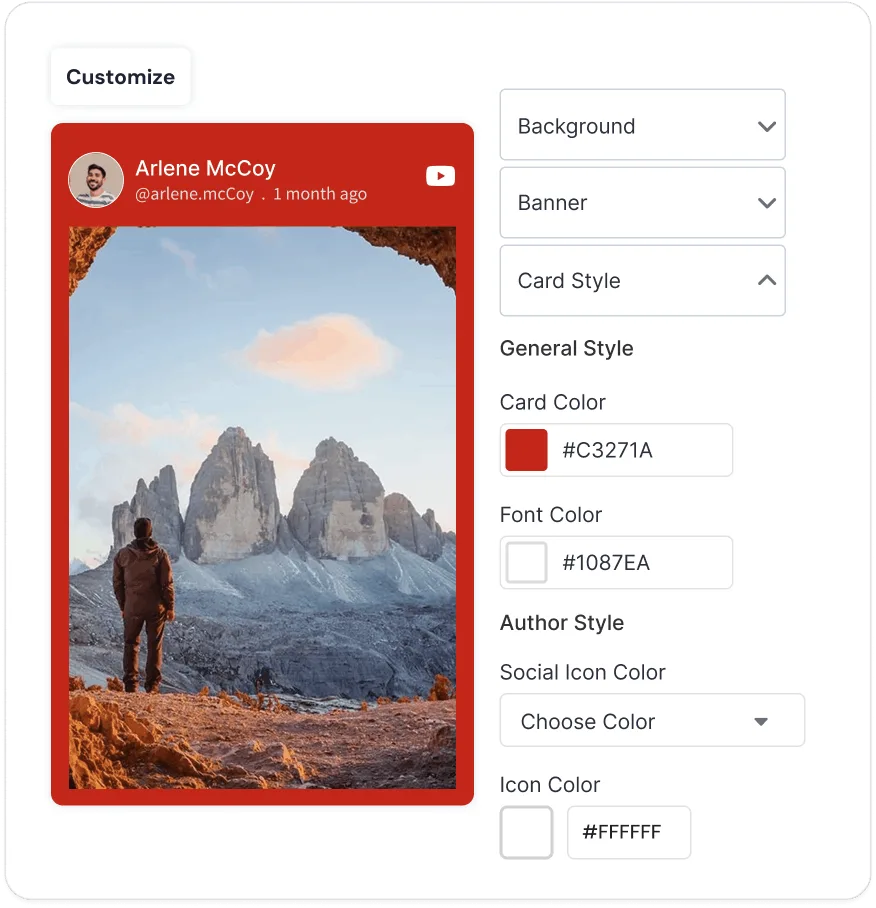
3. Customize
Tweak layouts, themes, colors, fonts, cards, and CTAs to match your website perfectly. Make your YouTube video widget look and feel like a natural part of your website.
4. Publish
Generate the YouTube embed code, and paste it into website's backend. Your YouTube video widget goes live instantly and updates automatically.
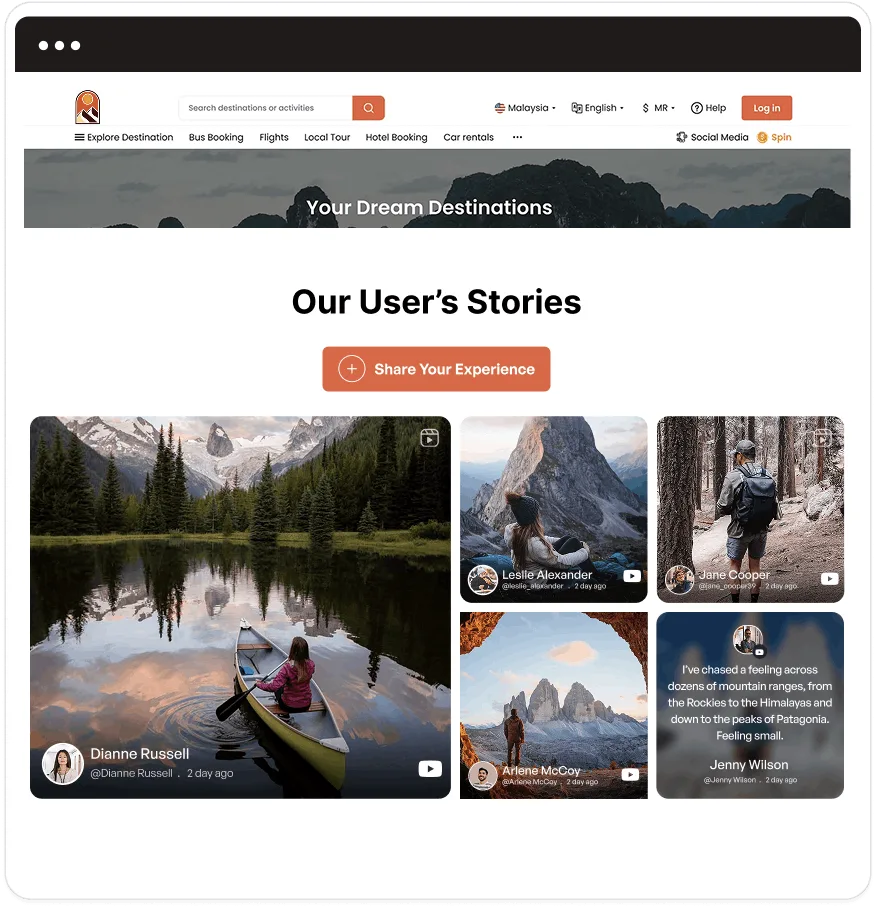
Powerful Features of YouTube Channel Widget For Websites
Discover how Tagembed YouTube channel widget helps your website a cut above the rest.

AI-Content Modration
Set your rules once. AI automatically filters out content that doesn't fit your brand. This helps your YouTube channel widget stays polished and professional without any manual work.

Shoppable For Product Tag
Turn your embedded YouTube videos widget into shoppable content. Tag products directly in the videos so visitors can explore and purchase items without ever leaving your website, helping you increase sales and ensuring a smooth shopping journey for your visitors.

Post Scheduling
Schedule new videos and uploads in advance with complete ease. Your YouTube video widget on the website will stay automatically updated with fresh content every day. This saves you time and keeps your website always active.

Personalize The Card
Take full control over how every video card looks. Customize styles, colors, fonts, titles, and buttons so the YouTube channel widget you embed blends beautifully and feels completely consistent with the rest of your website design.

Custom CSS
Apply your own custom CSS code to fine-tune every small detail. This allows you to tweak spacing, colors, borders, and animations so the YouTube channel widget you embed becomes a seamless and natural part of your website.
Make Visitors Hit Play Instead of Bounce
Display YouTube channel widget to boost traffic and engagement.
Stunning Layouts for YouTube Video Widget That Amplifies Your Website
Find the right layout that fits your brand and improves how your YouTube videos appear on your website.
Modern Card
Clean and elegant cards perfect for showing multiple videos with title and description.
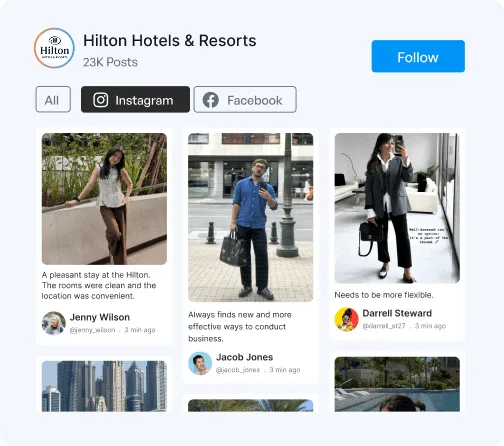

Horizontal Columns
Horizontal columns let visitors scroll smoothly through your latest videos.
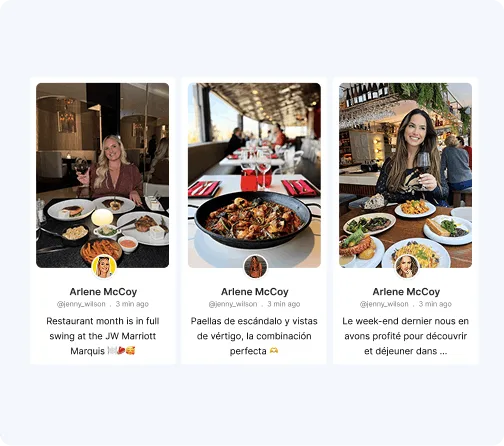
Classic Card
Keep your website clean and organized with a timeless card-style YouTube layout.

Why Smart Brands Choose Tagembed For YouTube Widget?
See what you get with Tagembed that other platforms simply can't match.
Other Platform
-
 Slow or manual content updates
-
Basic or no moderation
-
Weak customization options
-
No performance insights
-
Poor mobile experience
-
Requires developer help
 Slow or manual content updates


-
Your YouTube channel widget stays fresh with real-time updates.
-
AI + manual moderation keeps your YouTube widget clean.
-
Customize your YouTube widget to match your website.
-
Track views and engagement with detailed analytics.
-
Perfect responsive design that works beautifully on all devices.
-
Easy copy-paste code to embed YouTube widget quickly.
 Your YouTube channel widget stays fresh with real-time updates.
Simple Pricing Of YouTube Widget, Serious Results
-
 Custom CSS
-
No Coding
-
Customer Support

Starter
Best For Small Businesses.
$ 19 /mo
Get Started-
2 Feeds

-
10K Views/Month
-
Updates every 2 Hours
-
Manual Moderation
-
5000 Posts
-
Unlimited websites
-
Custom CSS
-
Email Support


Growth
Best For Growing Brands.
$ 29 /mo
Get Started-
4 Feeds
-
50K Views/Month
-
Updates every 30 Mins
-
Automatic Moderation
-
30,000 Posts
-
Unlimited websites
-
Custom CSS
-
Live Chat
Advance
Best For Enterprises and Agencies.
$ 79 /mo
Get Started-
10 Feeds
-
1M Views/Month
-
Updates every 15 Mins
-
AI Moderation
-
1,00,000 Posts
-
Unlimited websites
-
Custom CSS
-
Chat & Call
Why Customers Love Tagembed?
Empowered thousands of brands worldwide to collect and display content effortlessly.


These folks are the best!!!
I have been an avid user of this product for several years. Occasionally, I have needed to contact their support through their online chat, including over weekends. Initial responses are almost instantaneous, with each issue quickly resolved. Their team members are friendly, informative, and knowledgeable. Their collaboration with other team members is also streamlined, ensuring that more technical questions are quickly addressed. We use many applications for our business, and these folks are truly the best! Thank you, and please keep up the great work!
James Eglin
Co-Founder - VP of Sales and Marketing
Great support for product review
I'm testing out the service to see if its suitable for my requirements, the support ive received so far has been really helpful. Setting up feeds has been very easy and support is always quick to respond. I highly recommend so far.
Hayden Brown
Creative and UI Designer
Simple to use and highly effective!
It was simple to configure on my website and looks great on my website.
Ray Todd
CEO & Founder - Forever Beauty Hair & Nails
tagembed had fantastic quick support
Easy to use platform and it just works. Easily customizable for my Wordpress sites.
Lucas Hanyok
Front End Developer - Hanyok & Co.
Smooth to set up and friendly support!
The customer service is excellent and they solved my issue within 24 hours!
Judie Östling
Graphic Designer
Upgraded succesful
Its flexibility to find solutions. So it was great for them to do that.
Michael Kril-Mathres
Co-Founder - ITMO Ltd
Unique service and great support
Its flexibility to find solutions. So it was great for them to do that.
Leonardo Chan
Web Designer - designup.com.auFrequently Asked Questions
YouTube gallery widget is a simple tool that lets you display your YouTube videos, shorts, playlists and music directly on your website.
Sign up at Tagembed, connect your YouTube channel, customize the widget and copy the embed code. Paste it on any page of your website.
Yes. The YouTube widget is fully responsive and looks perfect on mobile phones, tablets and desktop screens.
You can embed regular videos, YouTube Shorts, playlists, music videos and live streams using the YouTube widget.
Yes. You can easily change the width and height of the YouTube widget to fit any section of your website.
Yes. Tagembed uses official YouTube API so your widget is secure, fast and always up to date.
Yes. It works on WordPress, Shopify, Wix, Squarespace, Webflow, HTML websites and almost all platforms.
Compatible With All Major Website Platforms
Embed YouTube widget easily on any website builder or CMS. No coding required.









More Related Blogs