


 Developers
 Play Console
This page teaches you how to build and run a very simple instant app using Android Studio. The app that you create has a simple structure similar to the structure described in Structure of a basic instant app.
To create a new instant app project in Android Studio 3.0, do the following:
- Launch Android Studio and create a new project:
- If you have not opened a project yet, in the Welcome to Android Studio window, click Start a new Android Studio project.
- If you already have a project open, select File > New Project.
- In the Create Android Project window, do the following:
- In the Application name box, enter "My First Instant App".
- In the Company domain box, enter "example.com".
- Leave the Package name as "com.example.myfirstinstantapp".
- Click Next.
- In the Target Android Devices window, do the following:
- Ensure that Phone and Tablet is selected.
- Under the Minimum SDK list, check Include Android Instant app support.

Figure 1. The Target Android Devices window.
- Click Next.
- In the Customize Instant App Support window, leave the default settings.
- Click Next.
- In the Add an Activity to Phone and Tablet window, select Empty Activity.
- Click Next.
- In the Configure Activity window, do the following:
- In the Instant App URL Host box, enter 'myfirstinstantapp.example.com'.
- In the Instant App URL route box, enter '/hello'.
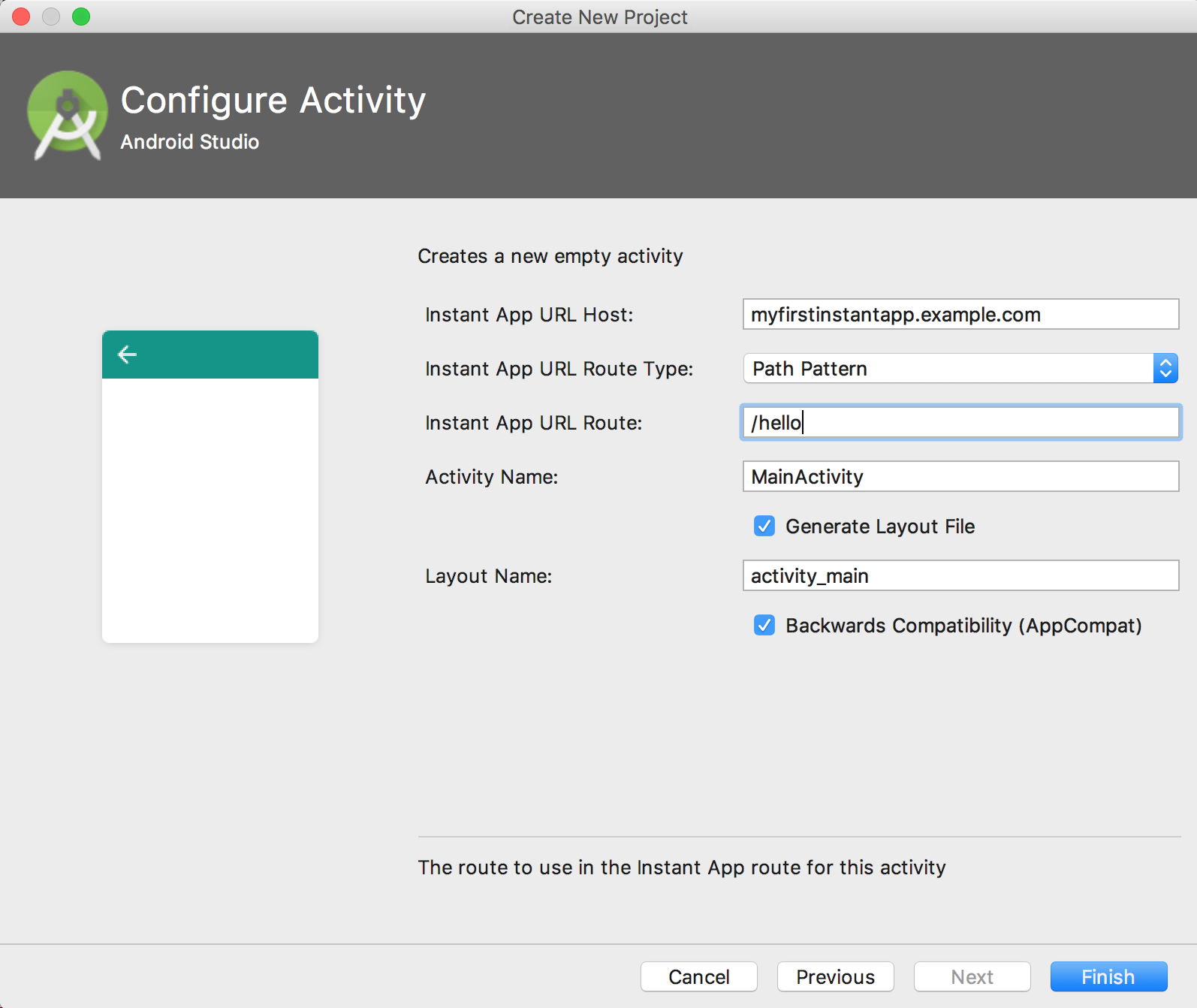
Figure 2. The Configure Activity window.
- Click Finish.
After Android Studio has finished creating the project, you can run the instant app. Make sure that you have already created an emulator that can run instant apps, as described in Set up your device or emulator.
To run the project in Android Studio, do the following:
- Click the instantapp module in the Project window and then select Run > Run 'instantapp'.
- In the Select Deployment Target window, select the emulator that you have set up for instant app development.
Android Studio builds and runs the app on the emulator as shown in figure 3.

Figure 3. 'My First Instant App' running.
Next Steps
For more information about the project structure of an instant app, see Project Structure.

